Settlements
Auto-Download Settlements
Set up the MyGroundBiz integration so the software auto-pulls settlements each Tuesday night.
By setting up the integration with MGB, the software will auto-pull settlements on Tuesday night.
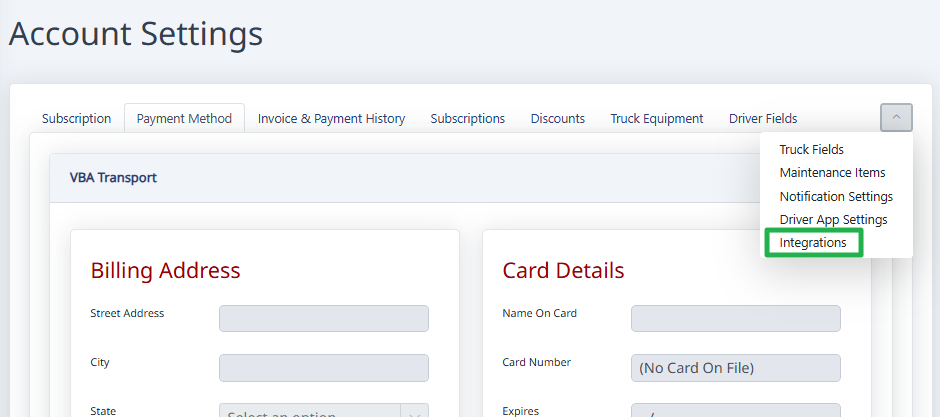
To enable this feature, go to Settings, then Account Settings, then click on the Integrations tab. For some users, you'll need to click on the little arrow on the right side (screenshot below).
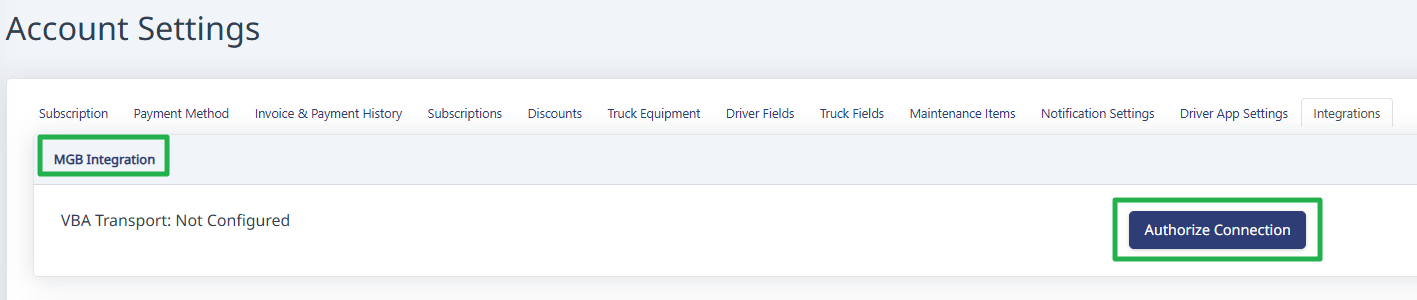
On the integrations page, go to the MGB Integration section, and click the Authorize Connection button.
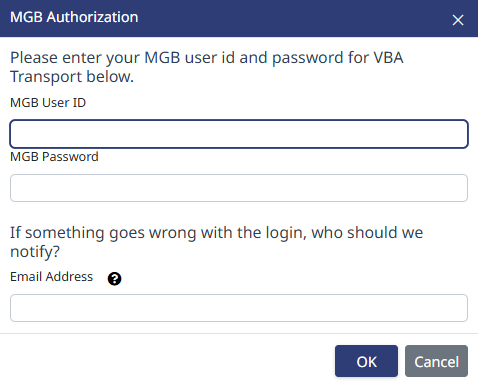
Enter your MGB credentials.
Note: If you enter an email address in the box, when your password expires (every 90 days) the system will email you to let you know the credentials need to be updated.
Need help?
Email support@halditech.com or call us at (470) 594-2534.