Getting EFS Fuel Card Data into Halditech
How to schedule an EFS transaction export to fuelfiles@halditech.com so fuel data flows into Haldi Tech daily.
Step 1. Open the Transaction Report.
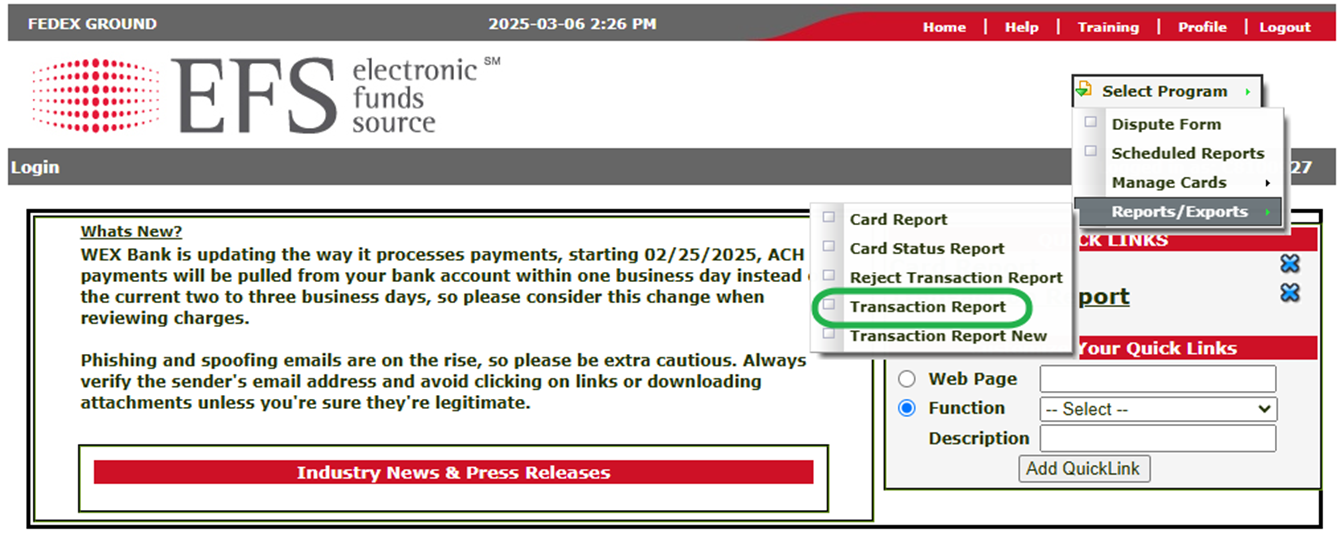
Log into your EFS portal. At the top, use the dropdown to select "Reports/Exports", then select "Transaction Report".
Step 2. Configure and submit the report.
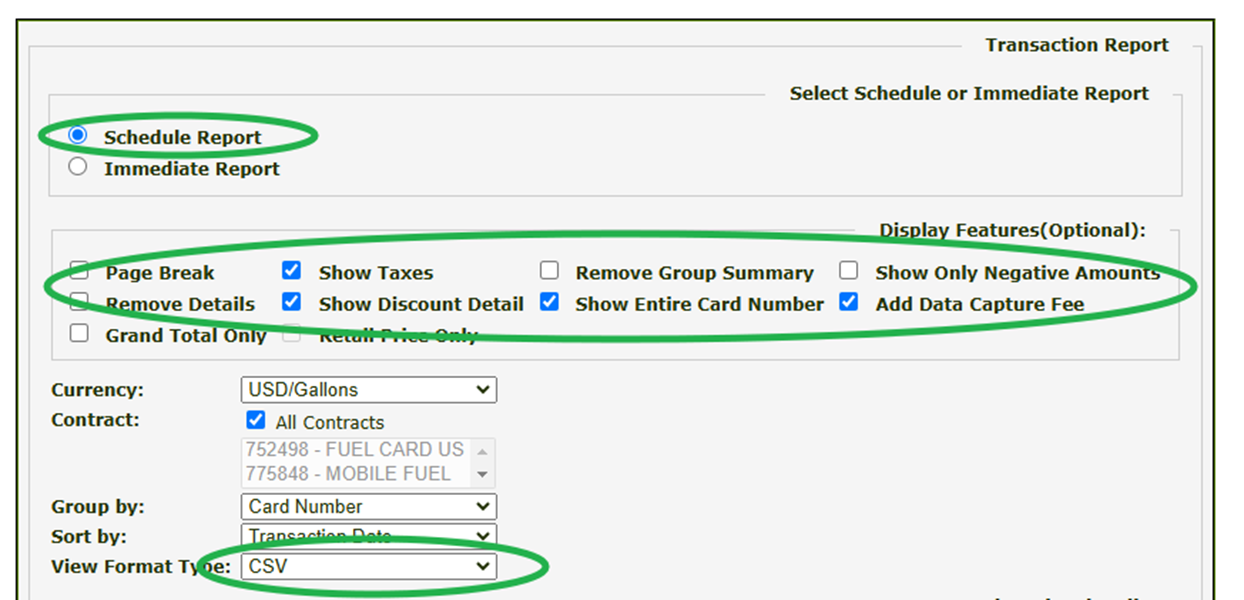
Check the boxes like the example below, and set the "View Format Type" to CSV. Click Submit before continuing to the next step.
Step 3. Set the description and delivery email.
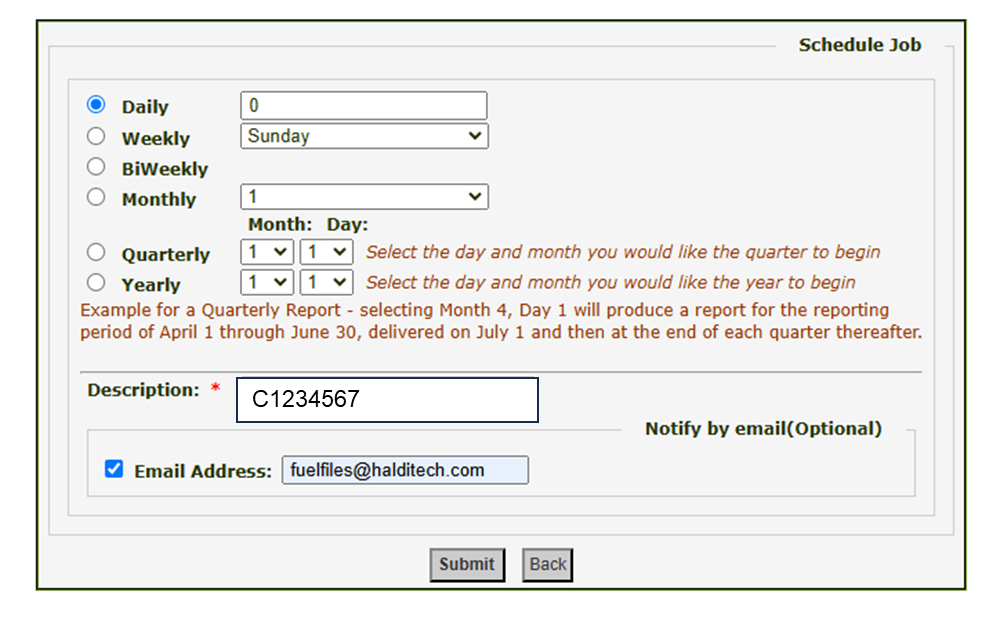
In the "Description" field, enter your CDAS number. Make sure to include the "C". Add fuelfiles@halditech.com as the email address, then click Submit.
Step 4. Add your CDAS number in Haldi Tech.
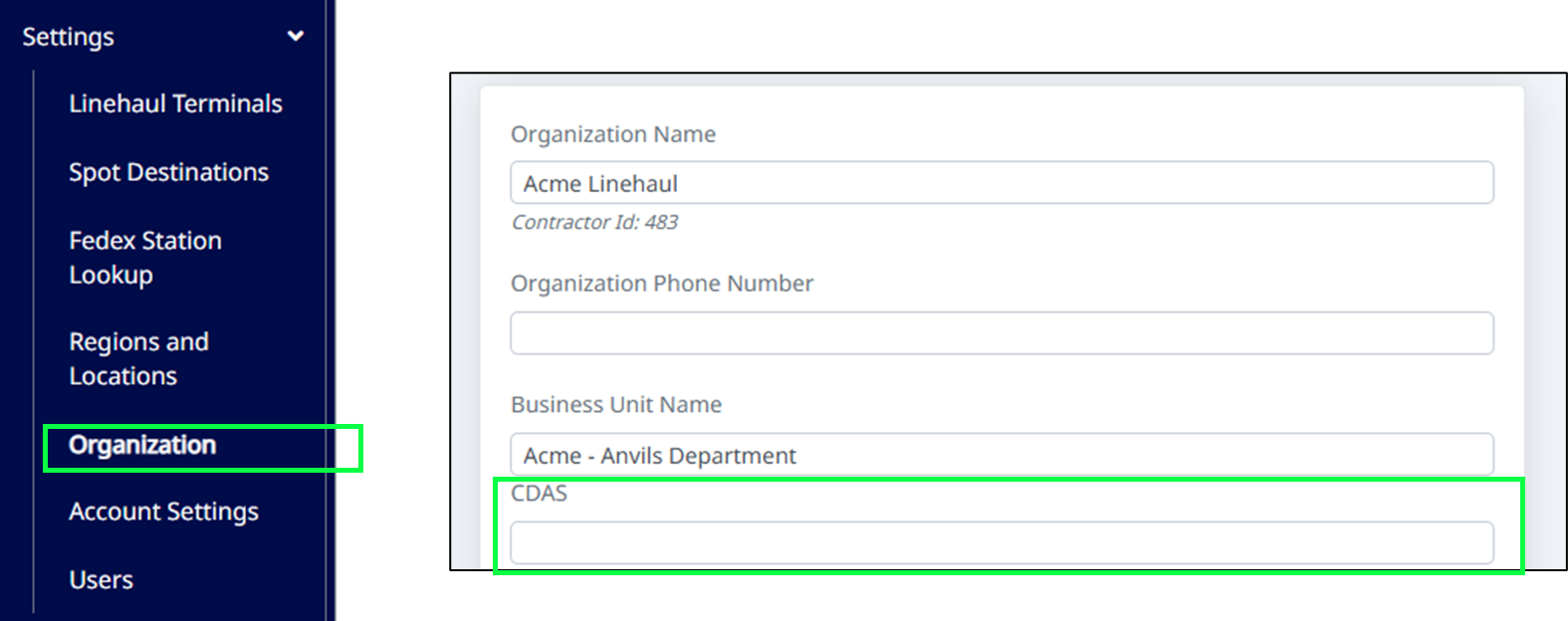
Lastly, log into Haldi Tech, go to Settings > Organization, then add your CDAS Number.
Fuel data will automatically flow into Haldi Tech once per day, usually in the early morning hours.
If you need help, or have issues, let us know: support@halditech.com
Need help?
Email support@halditech.com or call us at (470) 594-2534.