Trucks & Locations
How To Add/Change Terminal Names
Add or change a linehaul terminal's name so it updates automatically throughout the system.
Go to Settings > Linehaul Terminals. Use the Search box (top right) to find the station number (AVR) you're looking for.
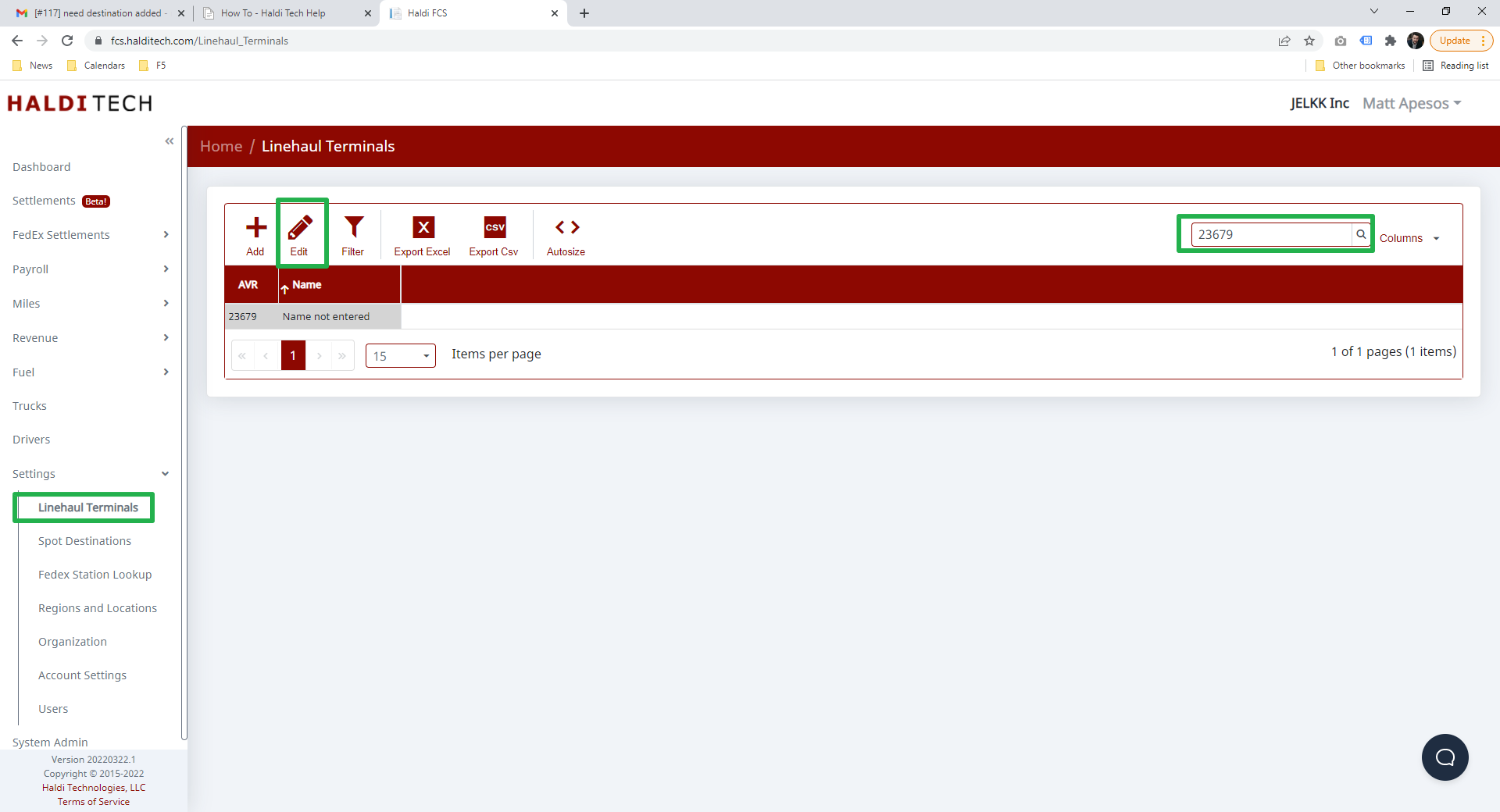
Double-click the terminal's row to make it editable directly in the grid, type the terminal name in the Name column, and save your change. The name updates automatically throughout the system.
Need help?
Email support@halditech.com or call us at (470) 594-2534.