Mobile & Driver App
How to add linehaul or spot legs as driver
As a driver, add a linehaul or spot leg to a scheduled trip from the HaldiTech mobile app.
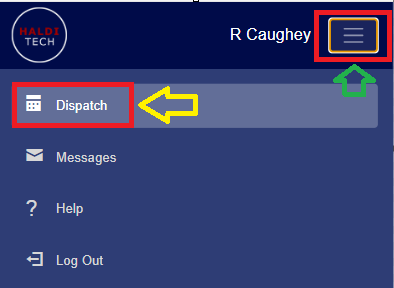
Step 1. Open dispatch
In your HaldiTech mobile app, click the 3-line icon in the top right, next to the driver's name, and click Dispatch.
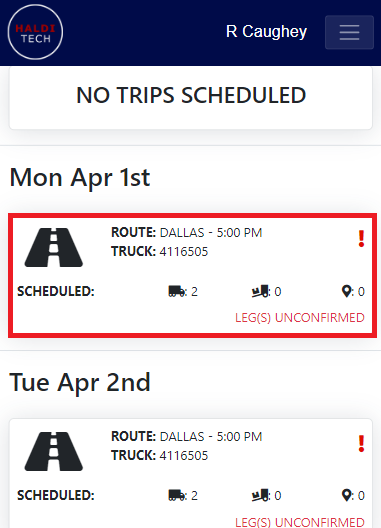
Step 2. Select a scheduled trip
Select a scheduled trip by clicking in the box.
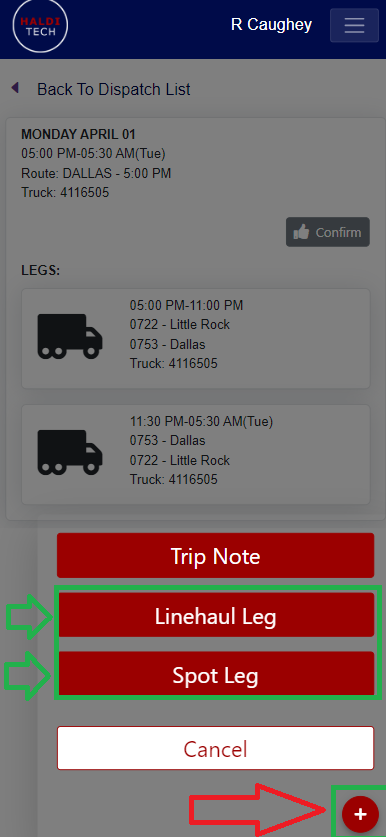
Step 3. Add a leg
Click the red plus icon in the bottom right of the mobile app and click Linehaul Leg or Spot Leg.
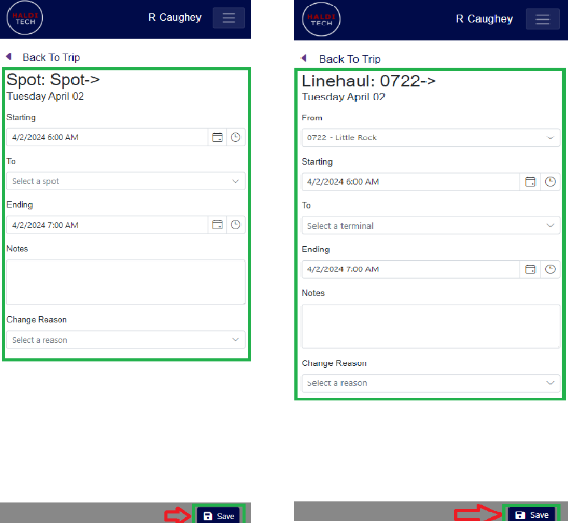
Step 4. Enter the details and save
Input all required information and click Save. The example below applies to both a Linehaul Leg and a Spot Leg.
Need help?
Email support@halditech.com or call us at (470) 594-2534.