Settlements
How to Create Other Revenues & Expenses
Add revenues and expenses that are not included on your FedEx settlements so they appear in reporting and the P&L.
Add revenues and expenses that are not included on your FedEx settlements.
Step 1. Open Other Revenues or Other Expenses
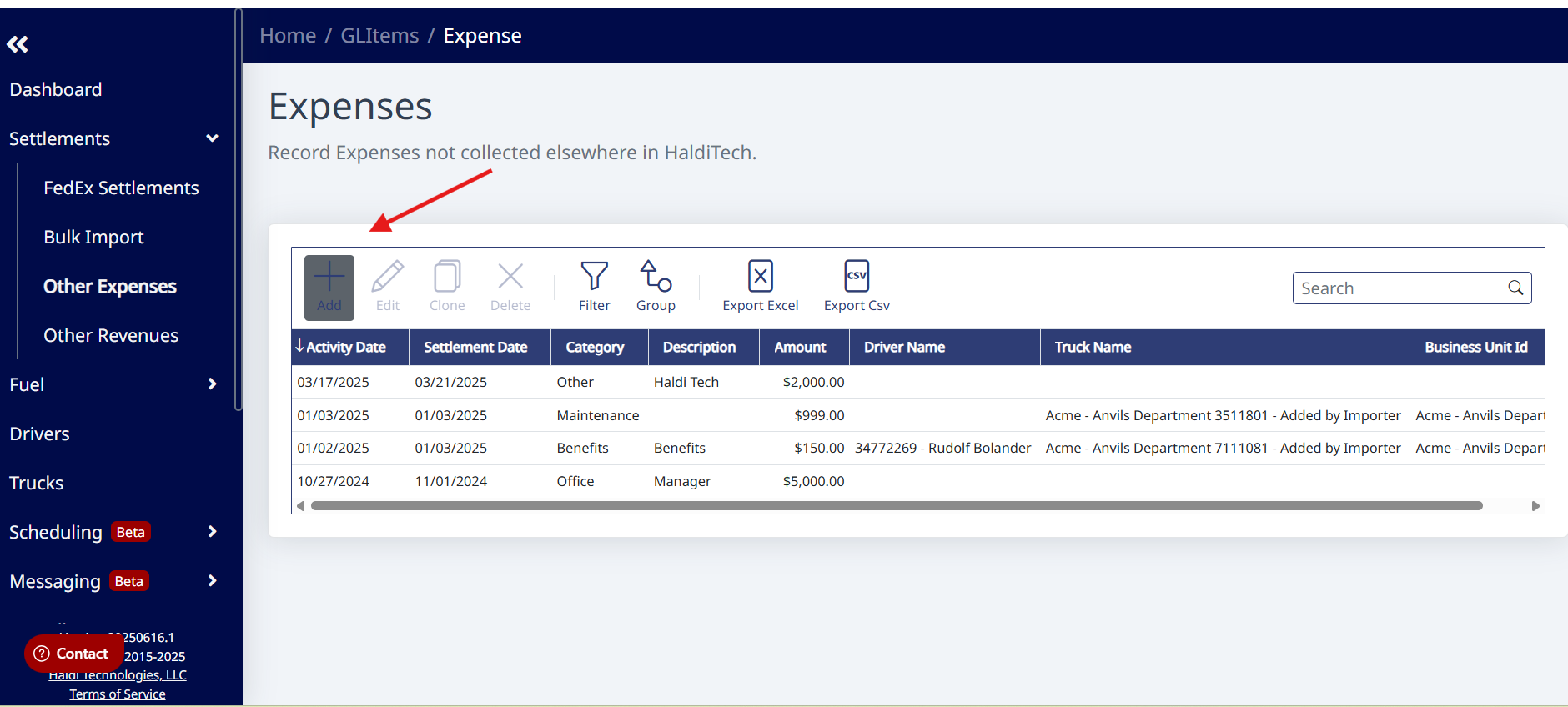
Click Settlements and select either Other Revenues or Other Expenses.
Step 2. Add a new record
Click the Add button on the toolbar to create a new revenue or expense.
Step 3. Enter the details
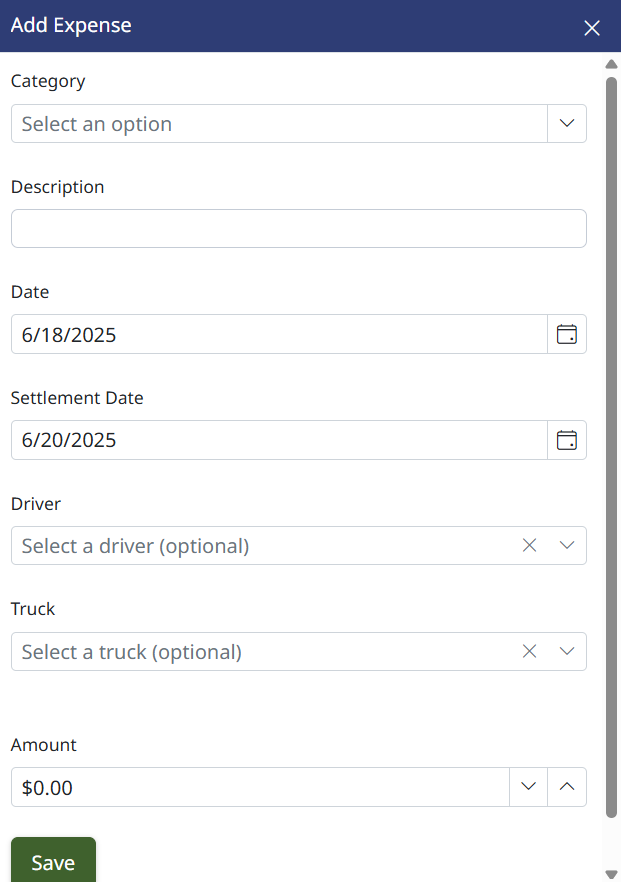
Choose a Category, type a Description, and set the Date. Optionally associate the item with a Truck or Driver, and set Repeats if it should recur. Enter the Amount.
Step 4. Save
Click Save — your revenue or expense is now included in reporting and the HaldiTech P&L.
Need Help? support@halditech.com or call us at 470-594-2534
Need help?
Email support@halditech.com or call us at (470) 594-2534.