How To Deactivate / Delete a Driver
Deactivate a driver by unchecking Current Employee on their Details tab instead of permanently deleting them.
Instead of permanently deleting a driver, mark them as no longer working for you.
Go to Drivers, select the driver and click Edit on the toolbar (or double-click the driver) to open their record, then click the edit (pencil) icon. On the Details tab, uncheck Current Employee.
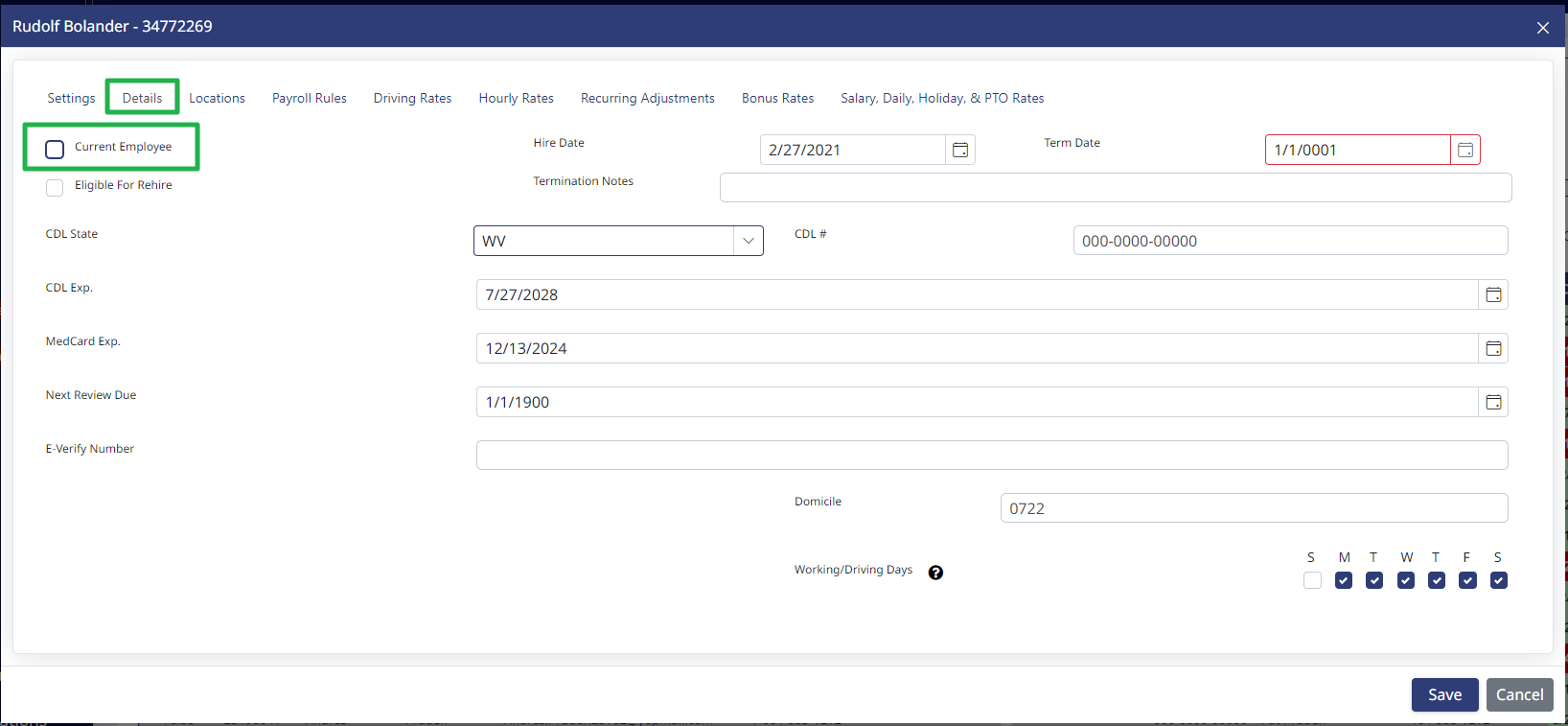
Once Current Employee is unchecked, you can optionally enter a Term Date, Termination Notes, and flag the driver as Eligible For Rehire. These fields are optional. Click Save.
Once a driver is marked not current, they appear in grey in the driver list and no longer show up in Payroll, Scheduling, or Messaging.

If you no longer want to see them in the list, filter the Current column to True.
Need help?
Email support@halditech.com or call us at (470) 594-2534.