How to Delete Trucks
Rather than deleting a truck, mark it inactive by unchecking Current Truck, since deleted trucks are re-added automatically from settlement data.
Instead of deleting a truck, it's best to mark it inactive. Deleted trucks are automatically re-added from your settlement data, so a truck you remove will just come back.
Make a truck inactive
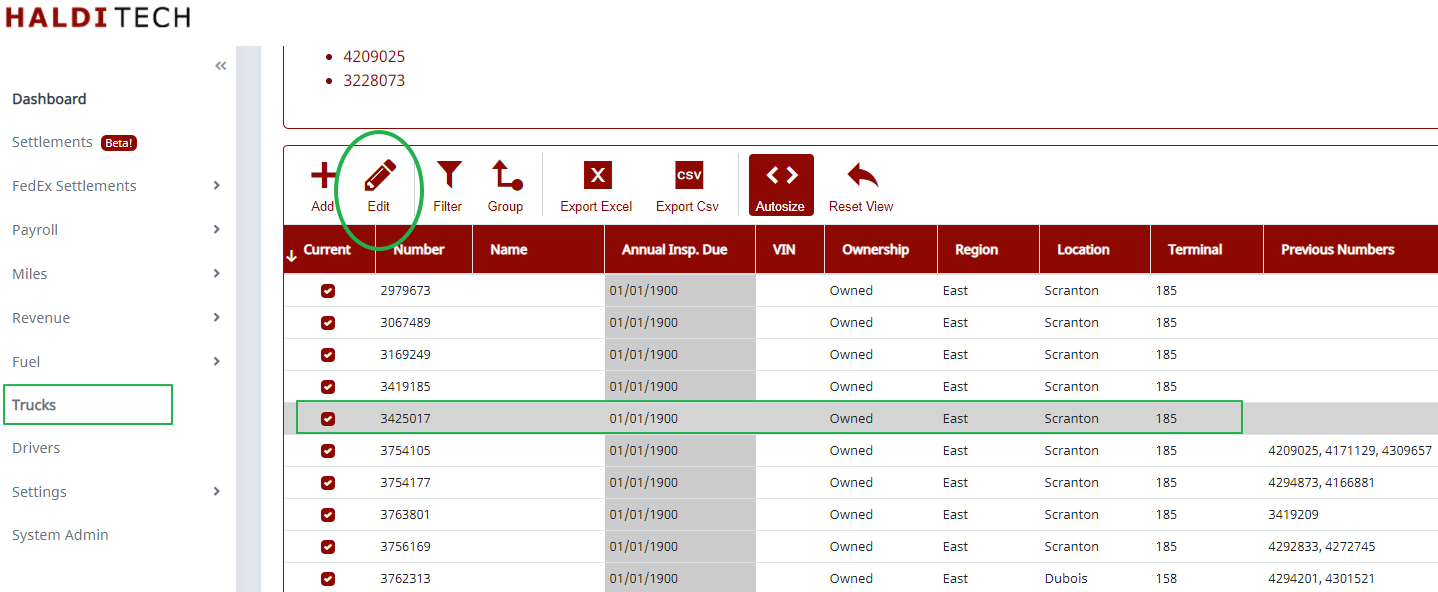
Go to Trucks. Double-click the truck you want to change — or select it and click Edit on the toolbar — to open its profile.
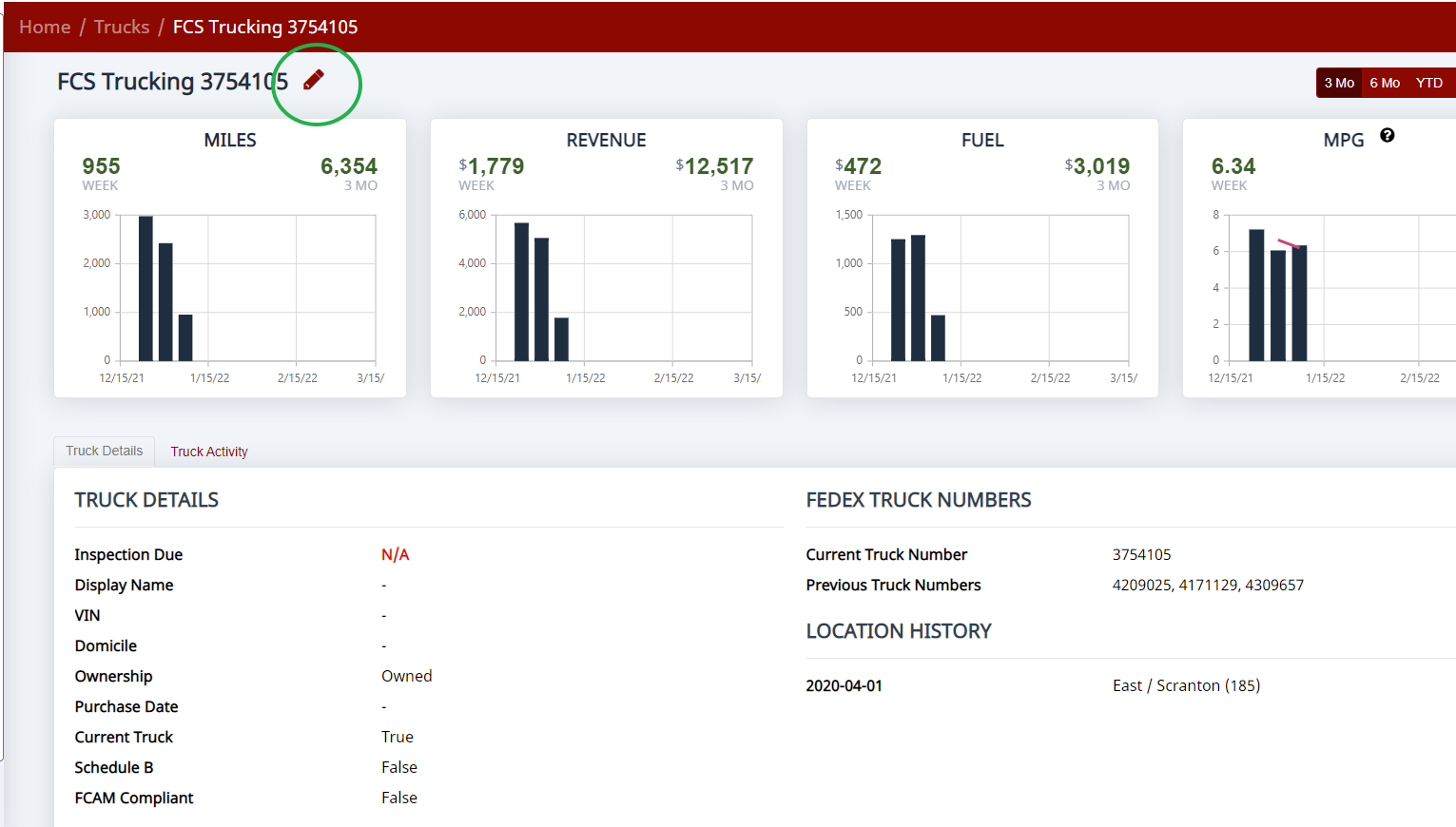
On the truck's profile, click the edit (pencil) icon next to the truck number at the top to open its settings. On the Settings tab, uncheck Current Truck and click Save.
The truck stays in your records and on past settlements, but is treated as inactive going forward.
If the truck number changed
If it's the same truck but FedEx issued a new truck number, use Merge rather than adding a second truck: on the Trucks list, select the record with the new truck number, click Merge on the toolbar, and follow the prompts. (You can also view a truck's numbers on the Truck Numbers tab inside its settings.) Once merged, you don't need to do anything with the old number.
Note: If you delete a truck from the list, it will be re-added automatically the next time you open a settlement that includes it — trucks are created from settlement data. That's why marking a truck inactive (unchecking Current Truck) is the right approach.
Need help?
Email support@halditech.com or call us at (470) 594-2534.