Settlements
How to download CSV settlement files from MyGroundBiz
How to download a settlement as a CSV Text File from the MyGroundBiz portal.
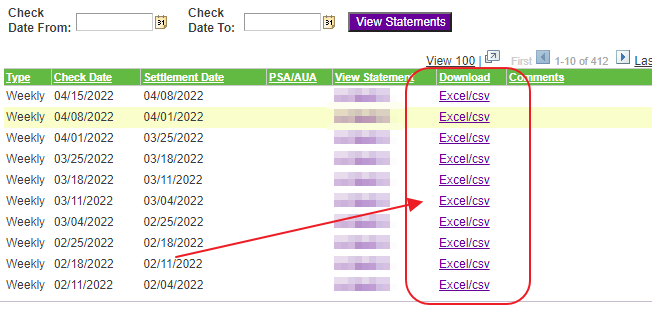
Step 1. Choose the settlement.
Go to MyGroundBiz. Choose the settlement you want to download and click Excel/CSV.
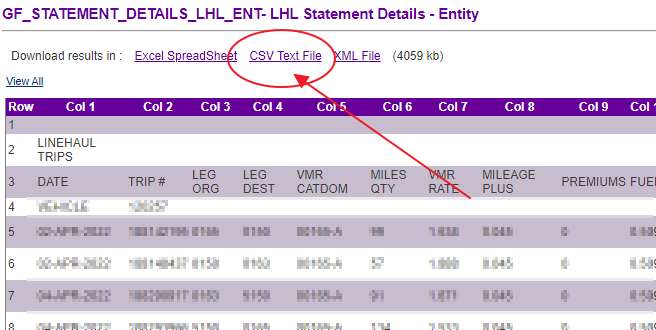
Step 2. Download the CSV Text File.
When you open a settlement, click on the link for the CSV Text File as shown below.
Need help?
Email support@halditech.com or call us at (470) 594-2534.