Account & Users
How to Set Up a New User
Add a new user in HaldiTech and grant them permissions so they can set their own password.
Add the user
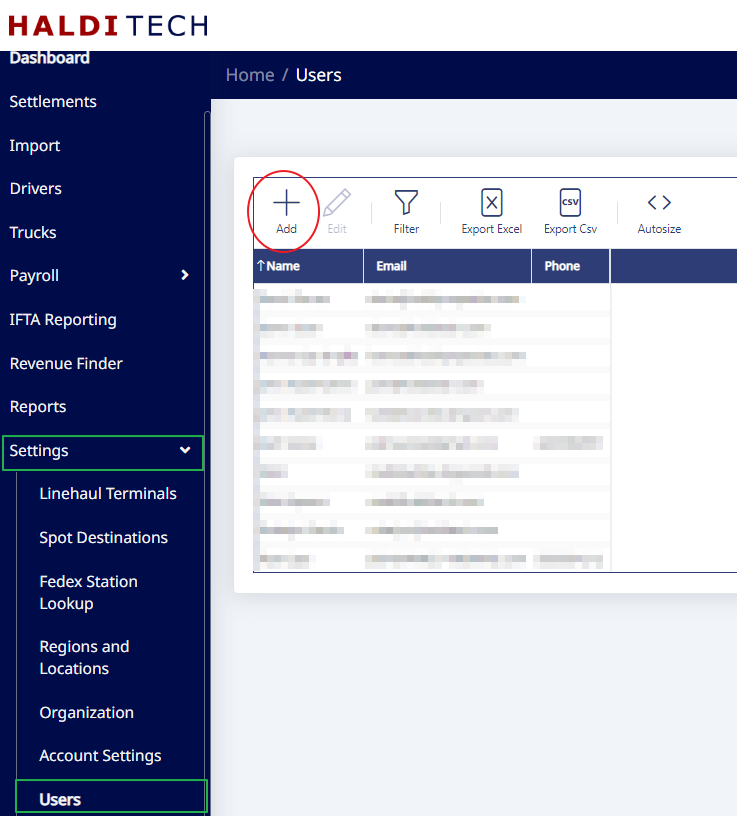
Sign in to your HaldiTech account. In the left menu, go to Settings > Users, then click Add.
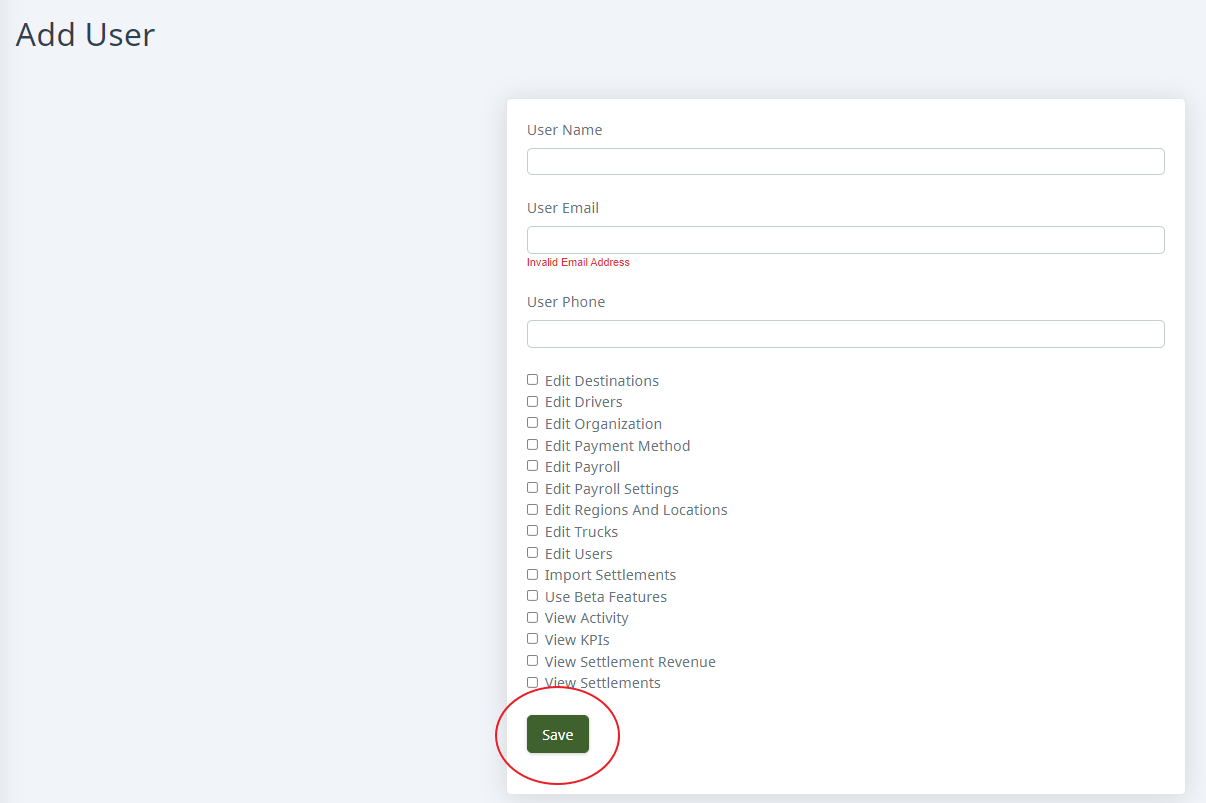
Enter the user's name, email, and phone number. Select the permissions you want to grant them, then click Save.
Have the user set their password
The new user will go to fcs.halditech.com, click Set Your Password, and follow the steps.

Need help?
Email support@halditech.com or call us at (470) 594-2534.