How To Set Up D & H Rates for Drivers
Turn on Drop & Hook (D&H) rates and add rate rules so drivers are paid for D&H work.
Setting up Drop & Hook (D&H) pay takes three steps.
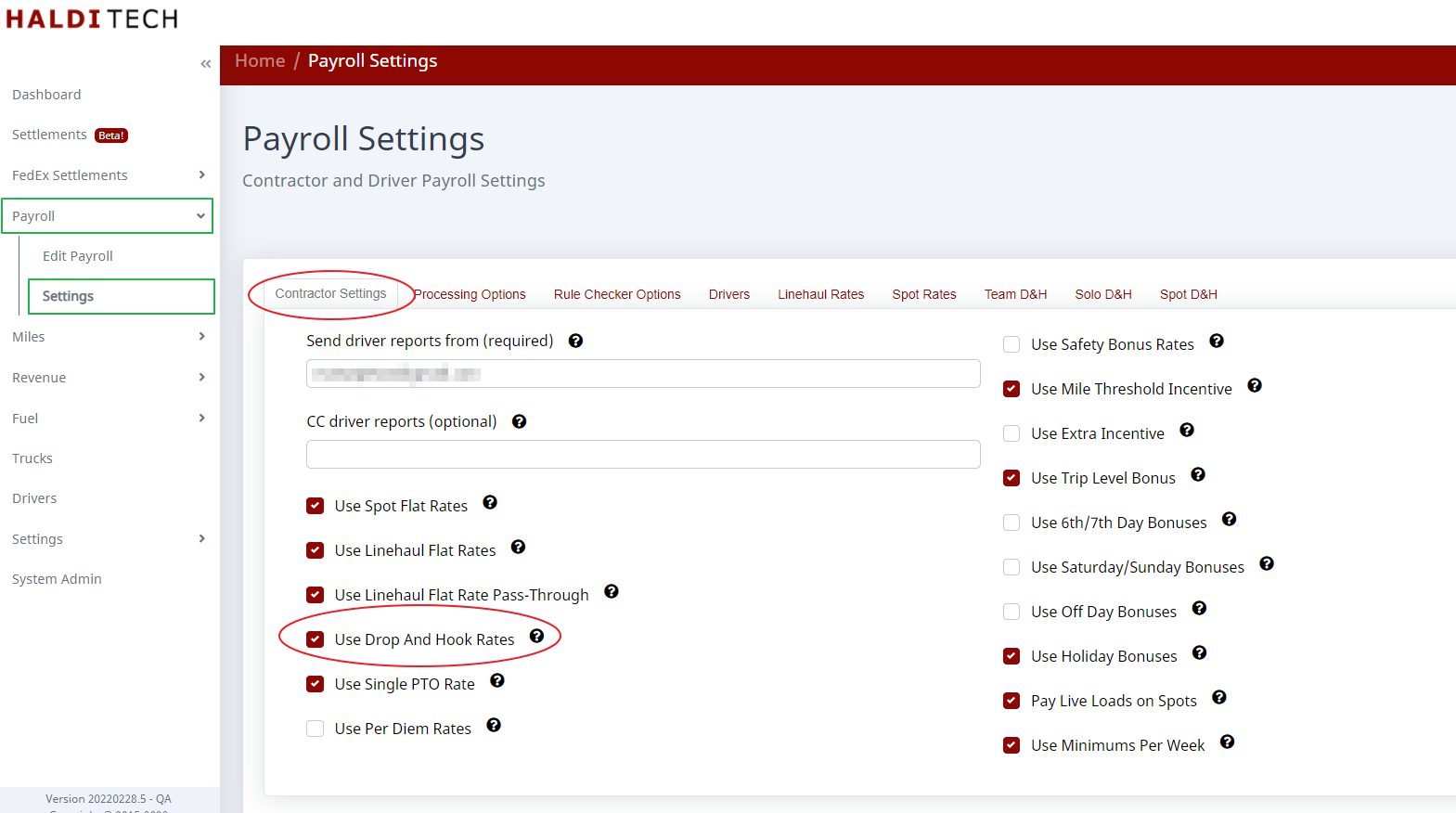
Step 1. Turn D&H rates on
Go to Payroll > Settings. On the Contractor tab, check Use Drop And Hook Rates.
Step 2. Add the rate rules
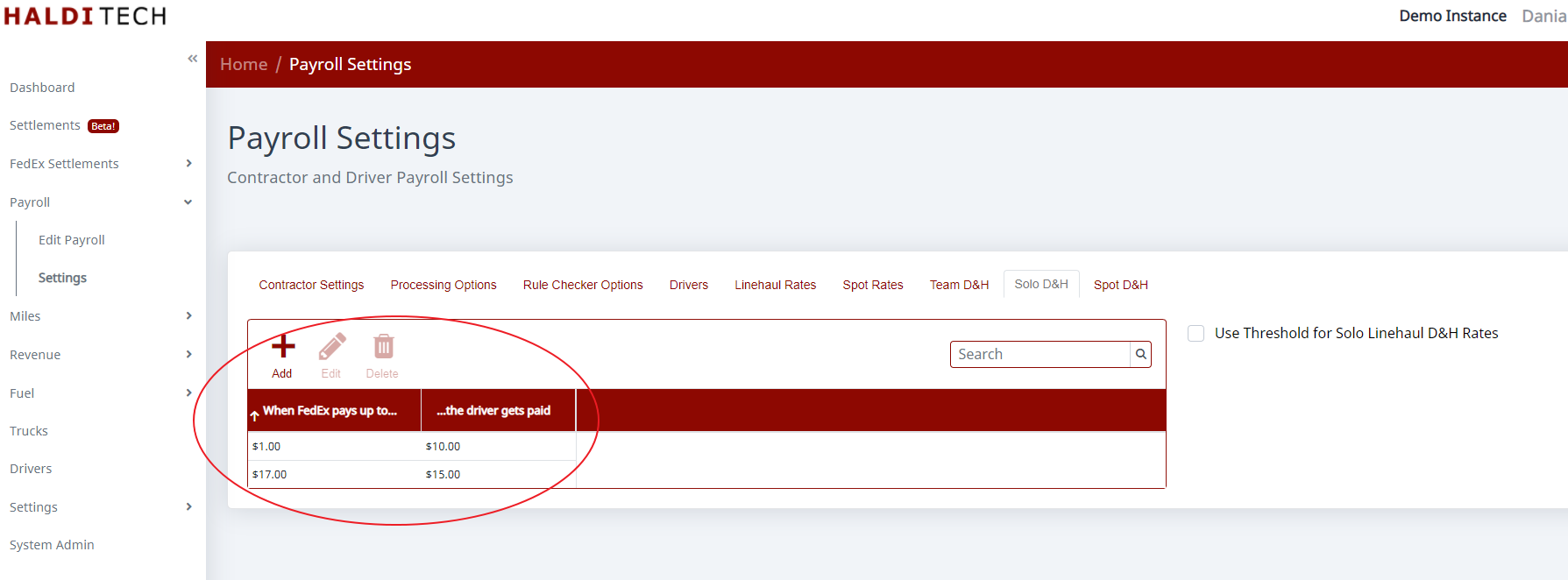
Rate rules live on the Team D&H, Solo D&H, and Spot D&H tabs. Set Pay based on (for example, FedEx Payment), then click Add to create a rule. Each rule reads "when FedEx pays at least X, the drivers get paid Y." Entering $1 makes the rule trigger for any D&H payment FedEx makes; add more rows to pay more for higher FedEx payments (for example, "when FedEx pays at least $17, the driver gets $15").
Step 3. Optionally use a threshold
Turn on the Use Threshold... option on the tab to pay D&H only on shorter trips, where D&H is a bigger percentage of the total compensation for the trip.
Need help?
Email support@halditech.com or call us at (470) 594-2534.