Account & Users
How To Set Up User Permissions
Edit a user's permissions from the Users screen by selecting the permissions to grant and saving.
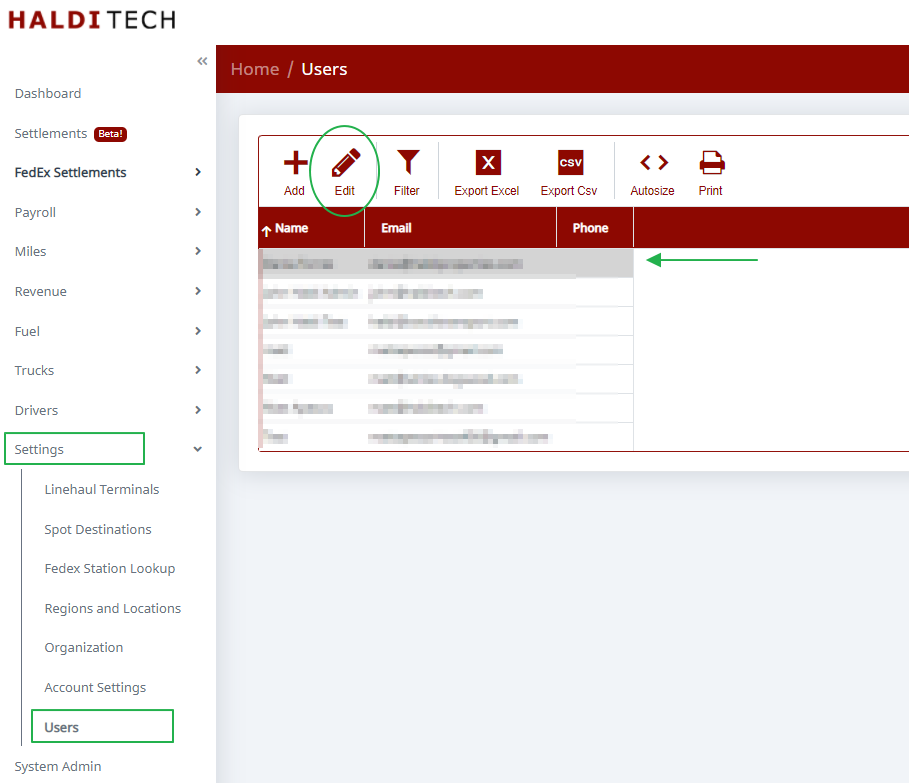
Go to Users in the left menu. Select the user whose permissions you want to change, then click Edit on the toolbar.
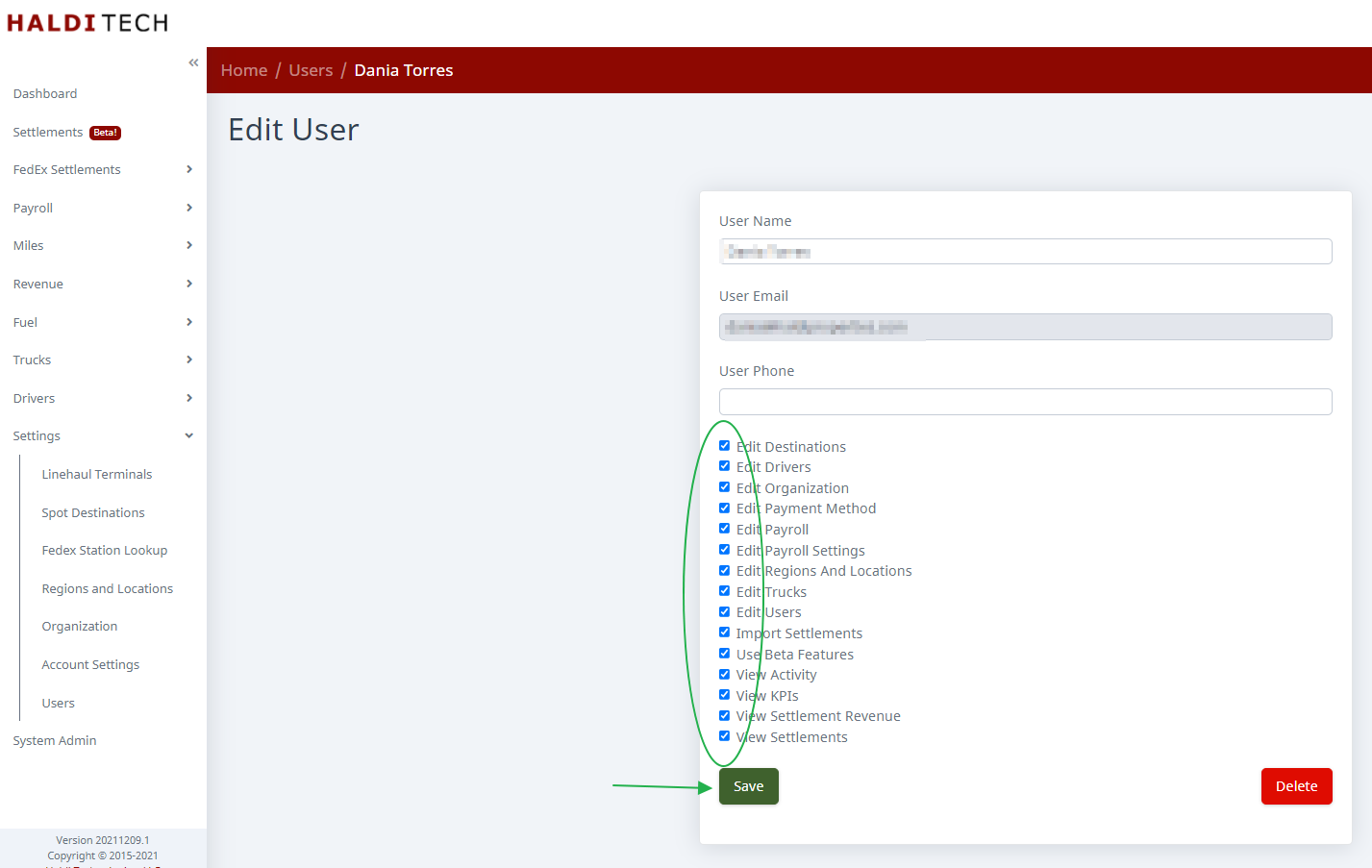
On the Edit User screen, check or uncheck the permissions for that user — use Select All / Select None to toggle everything at once — then click Save.
Need help?
Email support@halditech.com or call us at (470) 594-2534.