Payroll
How to Use Hourly Rates in Payroll
Enable hourly rates, create rate types, assign them to drivers, and add driver hours in Payroll.
Step 1. Turn on hourly rates
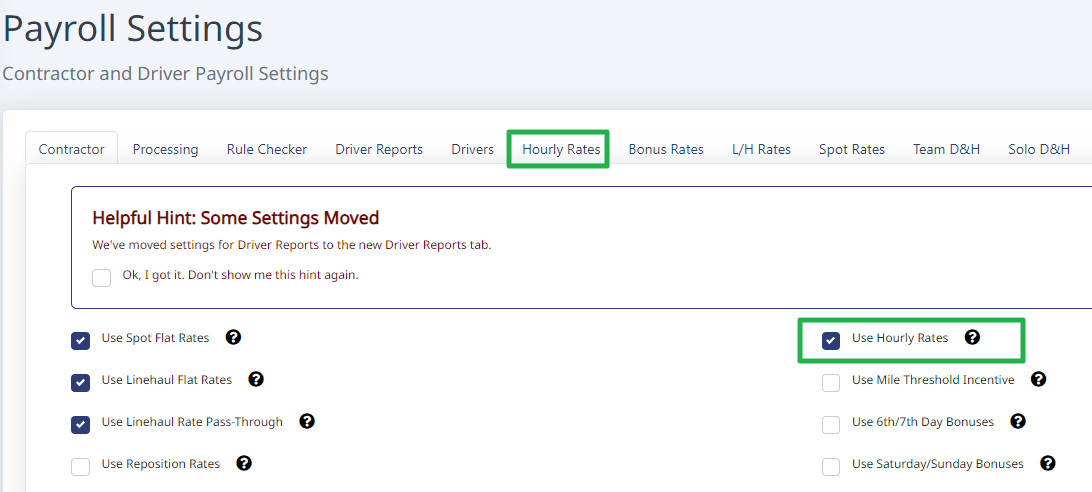
Go to Payroll > Settings. On the Contractor tab, check Use Hourly Rates. A new Hourly Rates tab appears at the top.
Step 2. Create your rate types
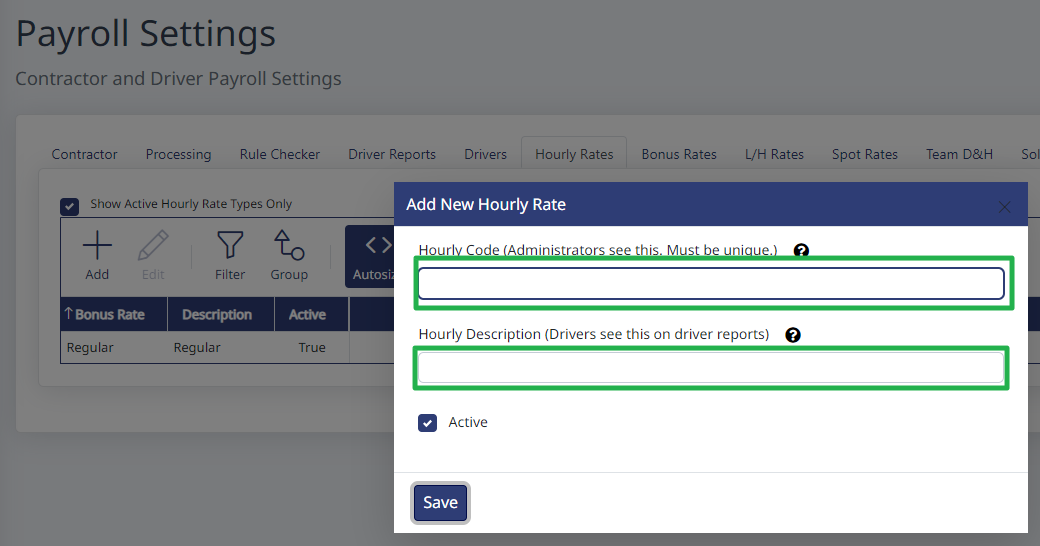
On the Hourly Rates tab, click Add and give the rate a name — for example, one called Regular and one called Overtime.
Step 3. Assign a rate to each driver
Open each driver's record (Drivers > select the driver > Edit > the pencil icon) and go to the Hourly Rate tab, then set that driver's rate.
Step 4. Enter driver hours
In Payroll, open the Driver Hours tab and click Add. Select the driver, the number of hours, and which rate type to apply.
Need help?
Email support@halditech.com or call us at (470) 594-2534.