Settlements
How to View Net Revenue After Fuel
How to see net revenue after fuel on a settlement's Summary tab.
Net revenue after fuel is shown directly on each settlement's Summary tab — there's no column to set up.
Step 1. Open FedEx Settlements.
In the left menu, click Settlements, then FedEx Settlements.
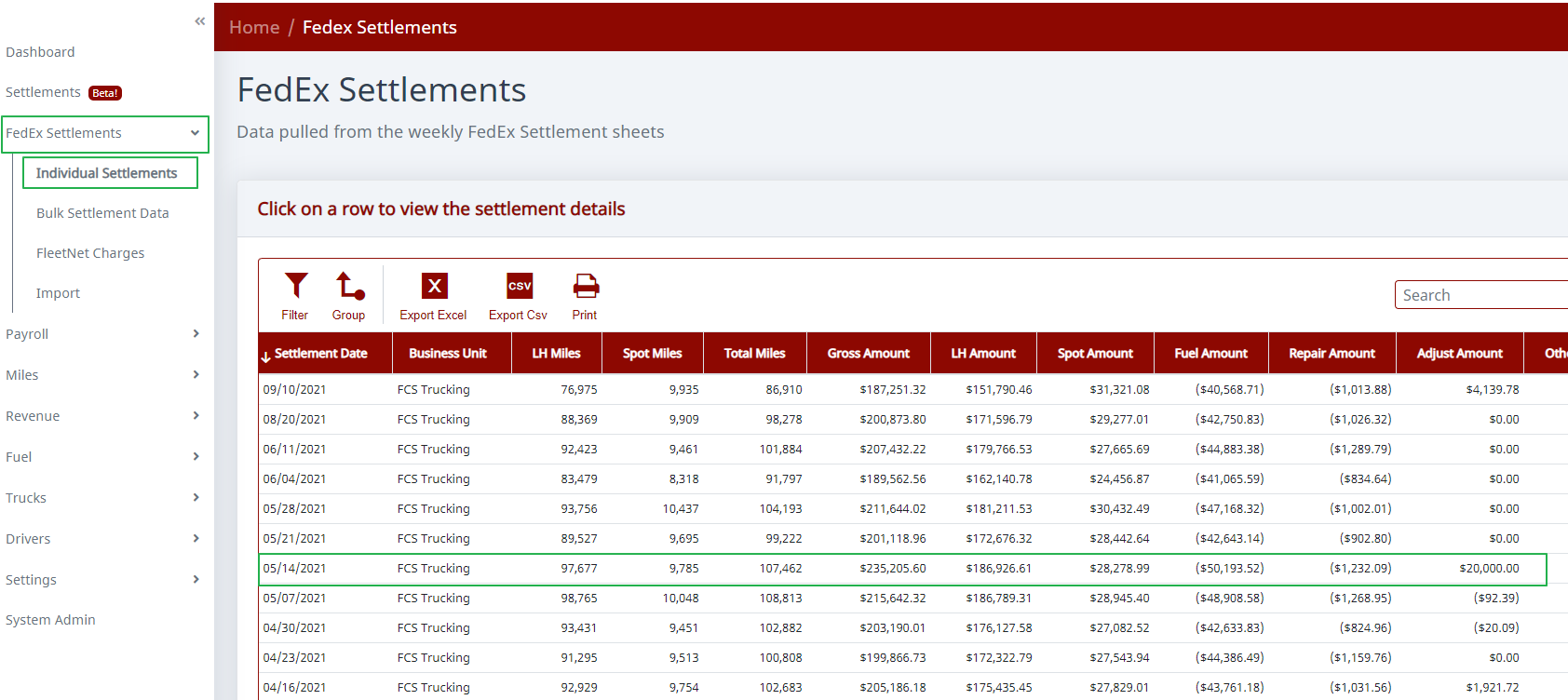
Step 2. Open an individual settlement.
Double-click the settlement you want to review (or select it and click Edit). It opens on the Summary tab.
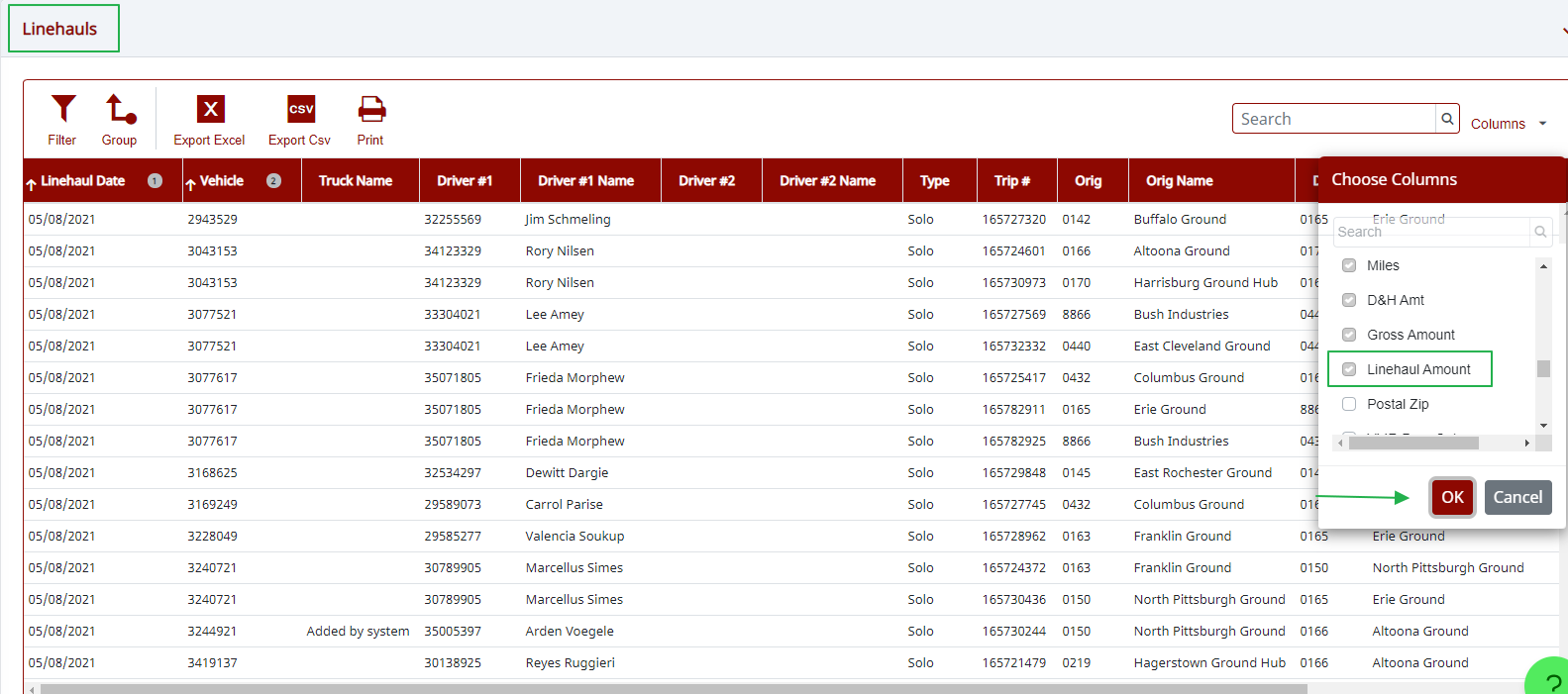
Step 3. Read net revenue after fuel.
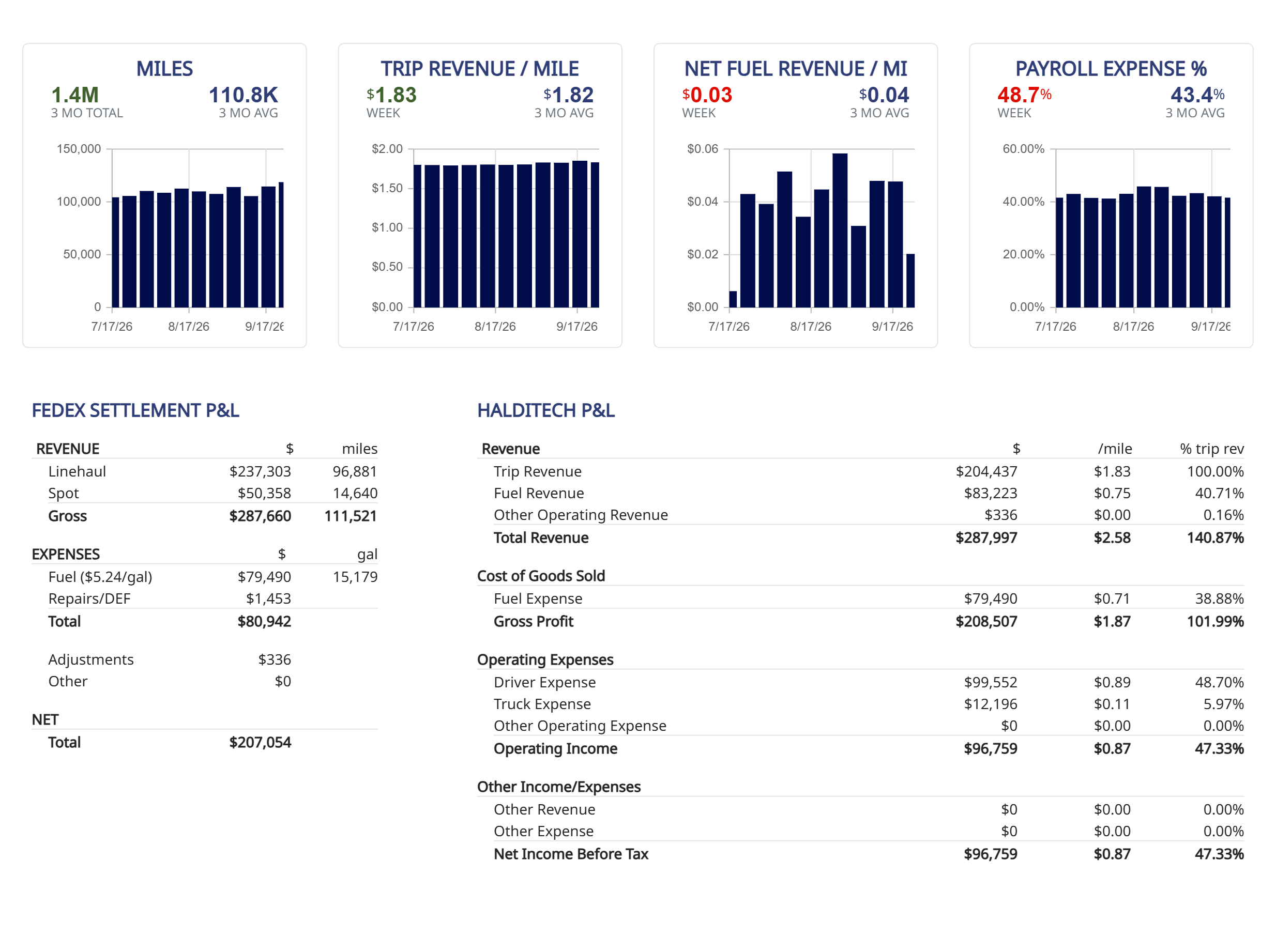
The Summary tab shows two side-by-side breakdowns:
- FedEx Settlement P&L — gross revenue (Linehaul + Spot), then fuel and repairs subtracted, down to a Net Total.
- HaldiTech P&L — total revenue with fuel taken out as Cost of Goods Sold, giving Gross Profit (your revenue after fuel), and continuing down to Operating and Net Income.
The Net Fuel Revenue / Mi tile at the top shows your net fuel revenue per mile at a glance.
Need help?
Email support@halditech.com or call us at (470) 594-2534.