Fuel
Missing Fuel Supplements
Why fuel supplements go missing from a FedEx settlement and how to request an adjustment using Revenue Finder.
Why are fuel supplements missing from your FedEx settlement?
This can occur for one of two reasons.
Reason 1: Card / truck-number mismatch.
- The TChek card that was used to purchase fuel didn't match the FedEx truck number it was registered with.
Why does this happen exactly? This can happen if a driver took a card from one truck and used it in another, or if FedEx changed the truck number on you.
Reason 2: The truck wasn't fueled recently.
- The truck with the missing fuel supplement wasn't fueled in the settlement week or in the previous week. Usually, this is a spare-truck scenario where you haven't used a truck for a while and then make some runs without fueling it. (FedEx only looks back at one settlement, so this is more than likely if the truck was out for more than a week or so.)
What should you do?
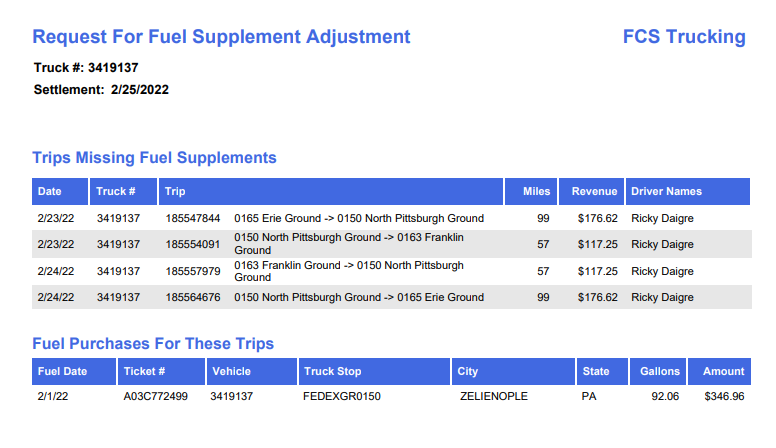
In either case, you'll need to supply your FedEx Terminal Manager (where the truck is domiciled) with a request for adjustment. Include the following on the request:
- The FedEx truck number.
- The trips for that truck from the settlement. Include the trip numbers, destinations, dates, etc.
- The corresponding fuel purchase ticket numbers related to the fuel used by that truck for those trips. Those could be associated with the wrong truck if you've got a card mismatch, or they could be on older settlements if the truck was a spare or didn't fuel up recently.
In Revenue Finder
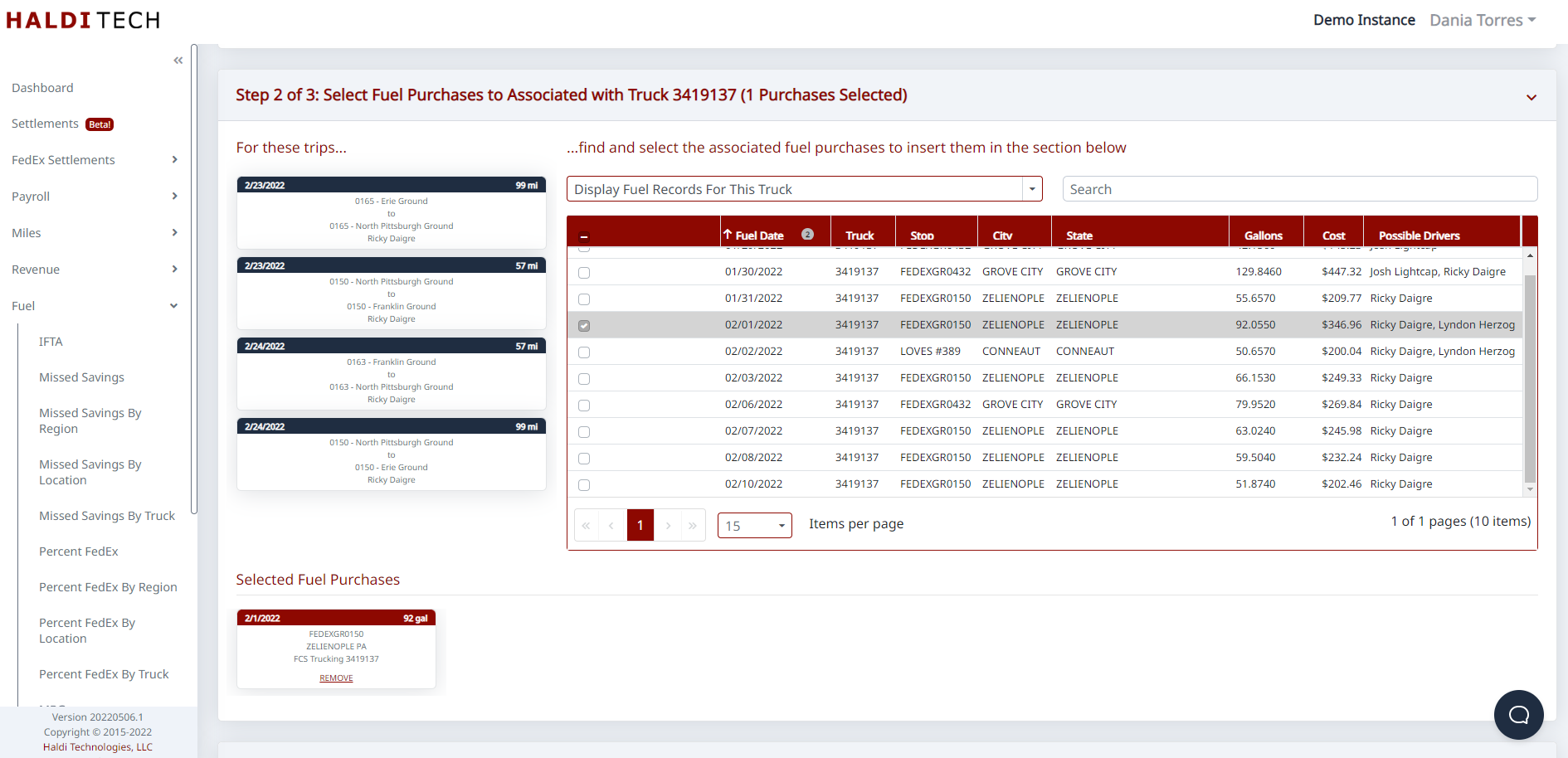
- Select the truck with Missing Fuel Supplements.
- Scroll down and search for and select the Associated Fuel Purchases. You can use the drop-down to help you find likely purchases. For example, choose a truck from a recent settlement and pick the 'Display Fuel Records For This Truck' option.
- Scroll to the next section. Insert a note in the 'Shared Notes' field. This is what the terminal manager will see on the report.
- Click Download Report and you'll get something like the report below.
Need help?
Email support@halditech.com or call us at (470) 594-2534.