What's New in the HaLDi Driver App
Fall 2026 Driver App release — a new sign-in, a cleaner look, a faster start, and your safety numbers right on your stats card.
For drivers · Fall 2026 release · updated October 2026
A new way to sign in, a cleaner look, a faster start, and your safety numbers right on your stats card.
The screens below show a made-up driver and company, so the names and numbers are not real.
New sign-in page
The app is moving to a new HaLDi sign-in page. Your login is still the email address your company has on file for you.
- Watch for an email with a Set my password button. Tap it, choose a password, then open the app and sign in. The link works for 14 days.
- No email, or the link expired? On the sign-in page, tap Forgot password? and enter your email.
- If you still can't get in, contact your dispatcher.
Sign in with your face or fingerprint
The new sign-in page lets you skip typing your password: sign in with Face ID, Touch ID or your phone's fingerprint or face unlock (this is called a passkey). Once it's set up, signing in is just a glance or a touch.
Ask your manager if you have questions about setting it up.
A cleaner, brighter look
The app has a fresh light design. Your name sits at the top, and the menu button opens Dispatch, Fuel, Messages, Help and Log Out.
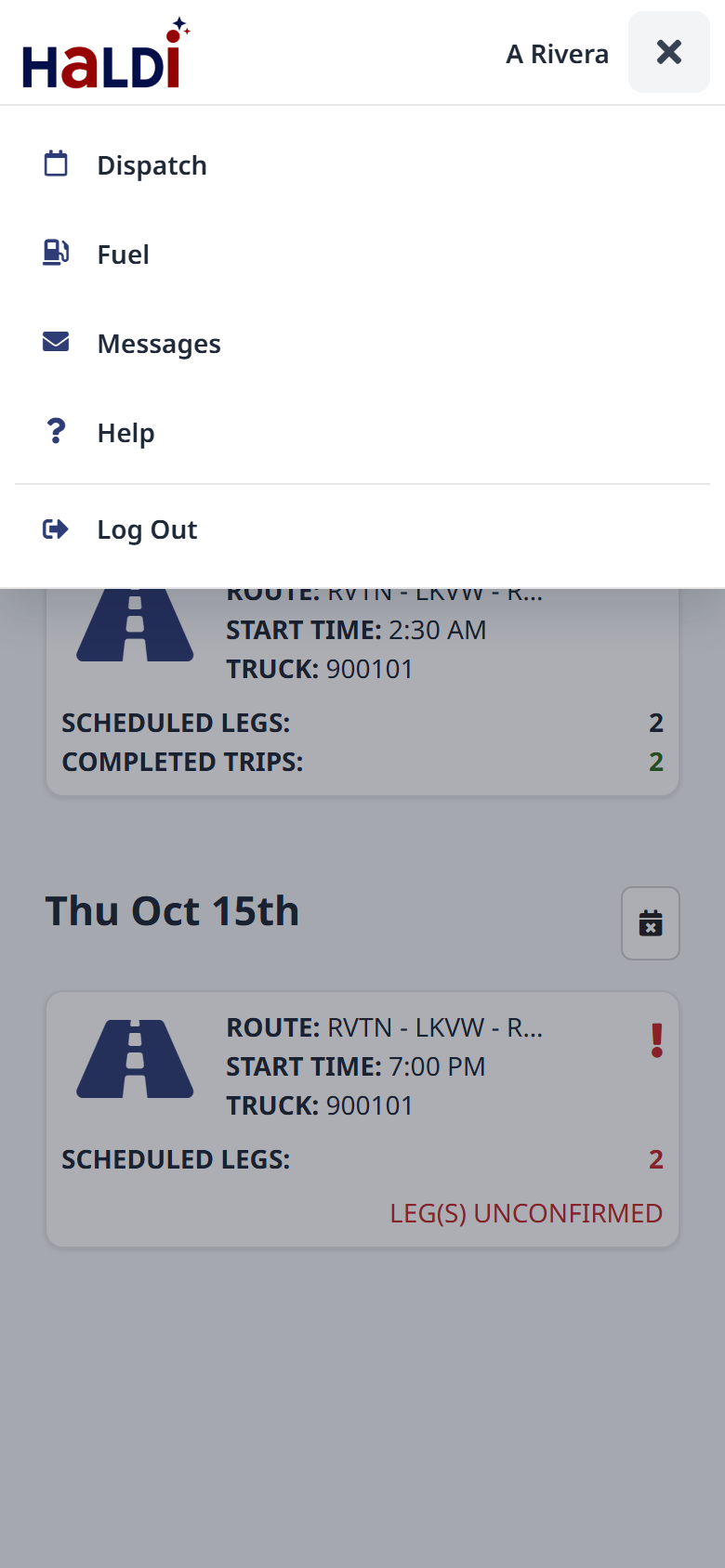 The new header and menu
Starts faster
Your trips show up sooner when you open the app. While it gets your trips, you'll see the Loadin' Up trailer.
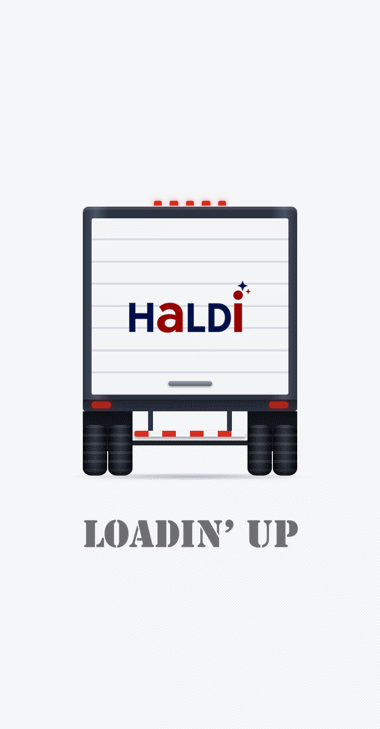 Loadin' Up
Your safety numbers
If your company uses Motive safety, your stats card now shows SAFETY EVENTS and SAFETY POINTS next to your miles, linehauls and spots:
- On Today, for this settlement week.
- On last week's settlement day, for last week.
Events come from your truck's Motive camera and ELD: hard braking, speeding, phone use, stop signs, seat belts and so on. Your company decides how many points each kind is worth. Events your company dismisses don't count. If something looks wrong, talk to your safety manager.
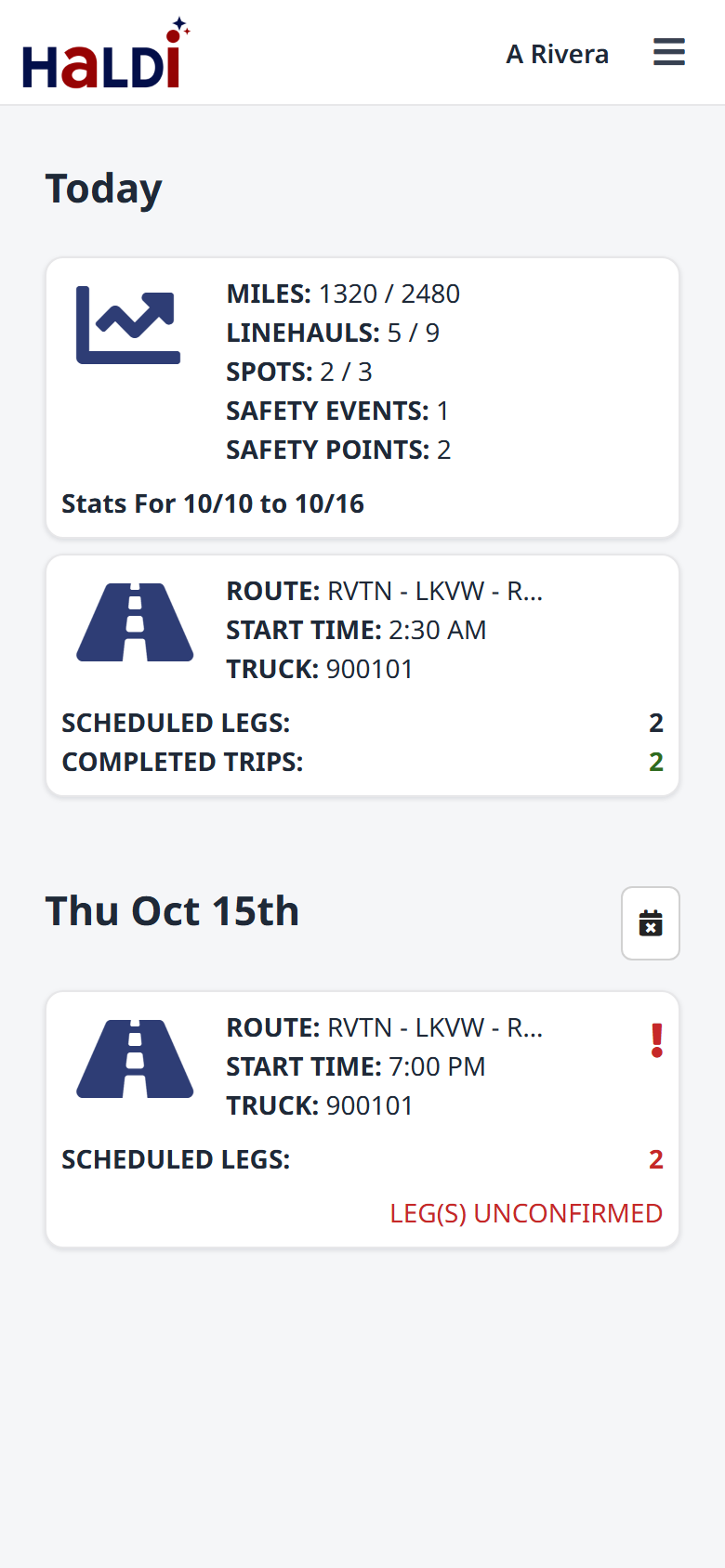 This week (Today)
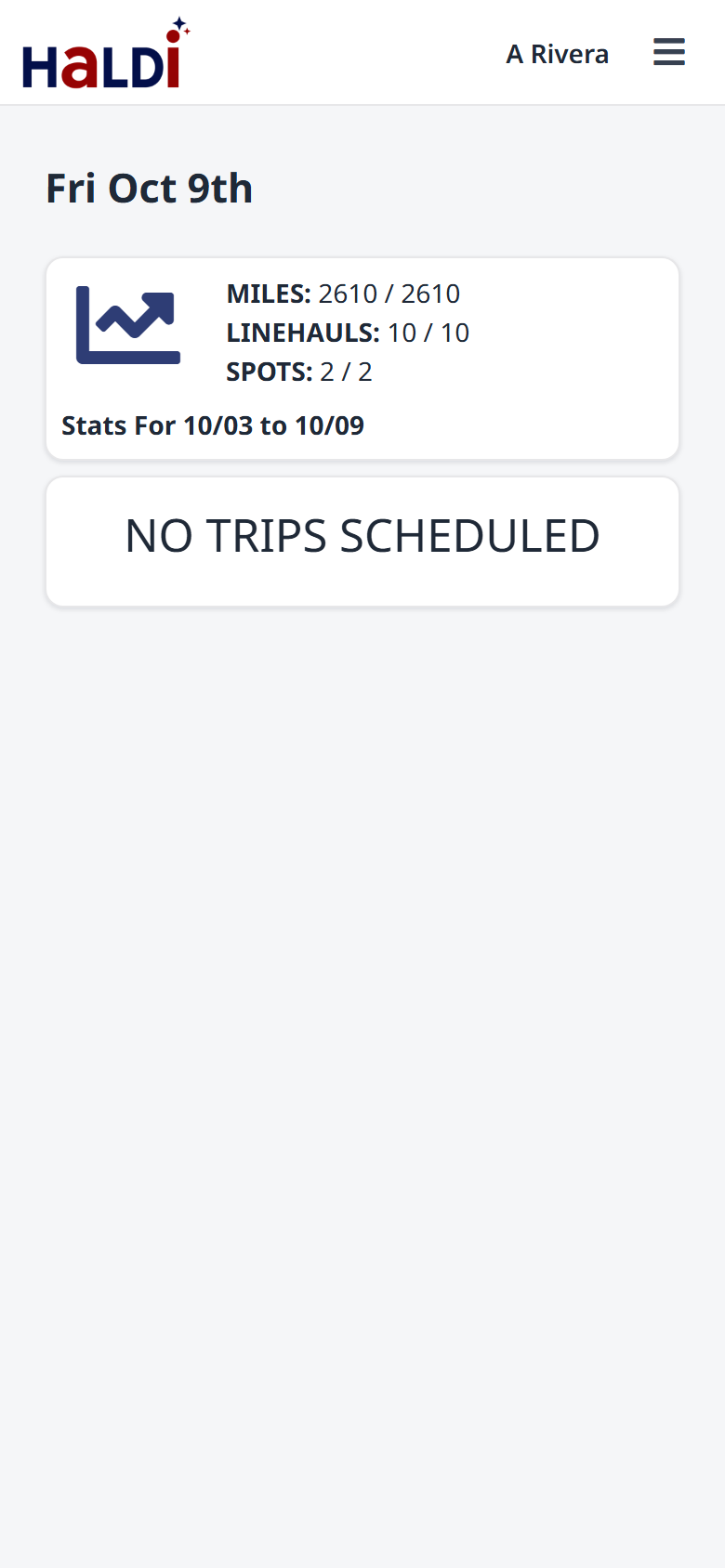 Last week
Safety coaching by email
Your safety manager can now send you a safety event by email. It tells you what happened (the kind of event, when and how fast), includes their coaching notes, and may attach a short document, such as the company's phone policy.
- Reply to the email to answer your safety manager; the reply goes straight to them.
- The email goes to the address your company has on file for you.
The + button
Tap the round + button at the bottom right for quick actions: Note To Dispatch, Trip, Time-Off Request and Reimbursement Request. Which ones you see depends on your company's settings.
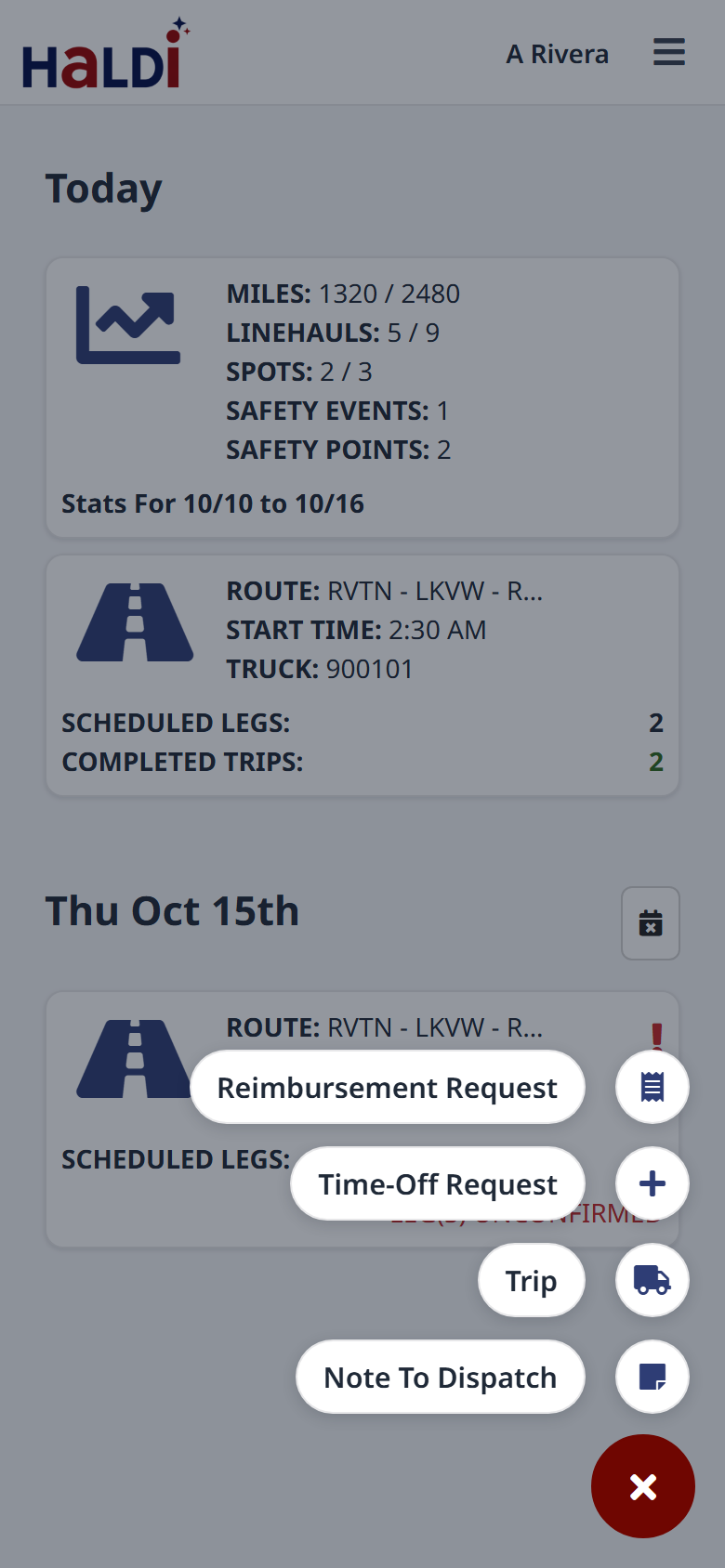 Quick actions
New cancel reason: No Load Available
When you cancel a leg, you pick a reason from the list. There's now a No Load Available reason for when there was nothing to haul. Add a note if it helps, and turn on Alert Dispatcher to let dispatch know right away.
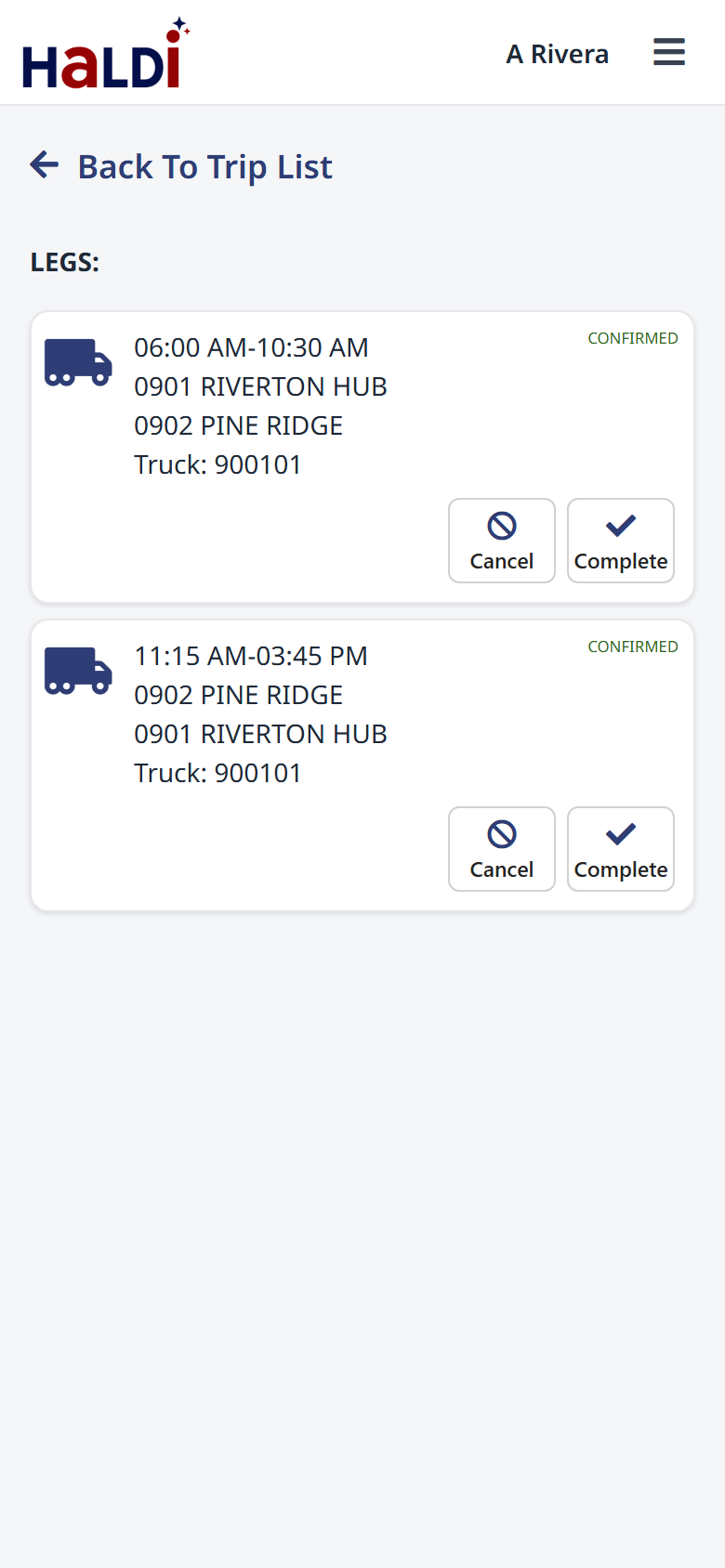 Open a trip to see its legs
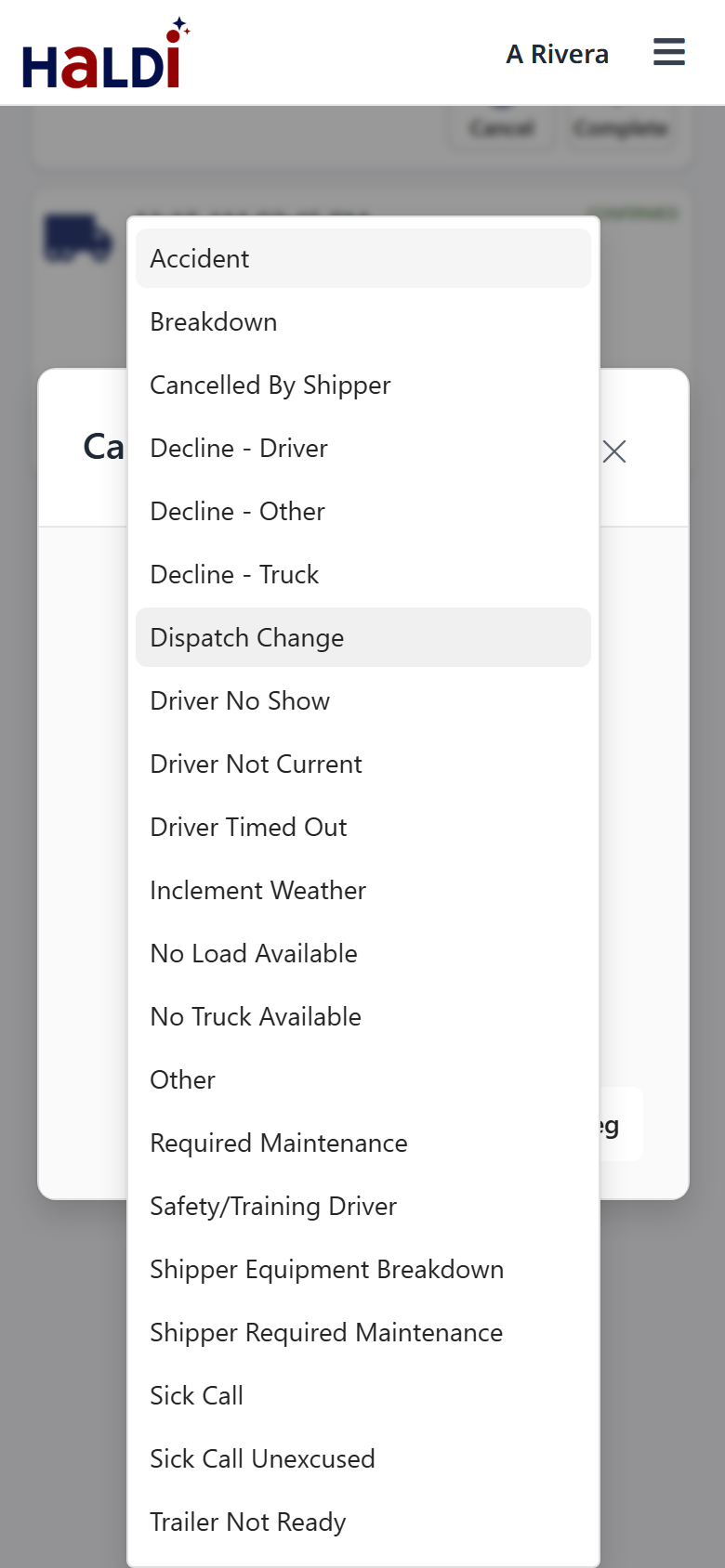 Tap Cancel and pick a reason
Need help?
Email support@halditech.com or call us at (470) 594-2534.